Skip to content

Your products.Configured in 3D.

We build custom 3D configurators for made-to-order products. Customers choose on your website and send your team the details to quote.

Your customer

  1. Sees the product
  2. Chooses sizes and options
  3. Sees an estimated price
  4. Sends a quote request

Every part becomes an option.

Your product's dimensions, finishes and components become choices your customers can see in 3D.

Louvres
Open 0 to 90°, or a glass roof
Frame
Five RAL finishes
LED strips
On or off
ZIP screens
Fitted on any side
Posts
Width, depth and height

Change an option. See the price respond.

Try the width, roof and extras. The estimate follows your choices.

  • Frame and roof prices follow the footprint.
  • Screens and lighting have their own prices.
  • Your implementation uses your product data and commercial rules.

Pergola estimate

Estimated totalDemo prices
€7,630

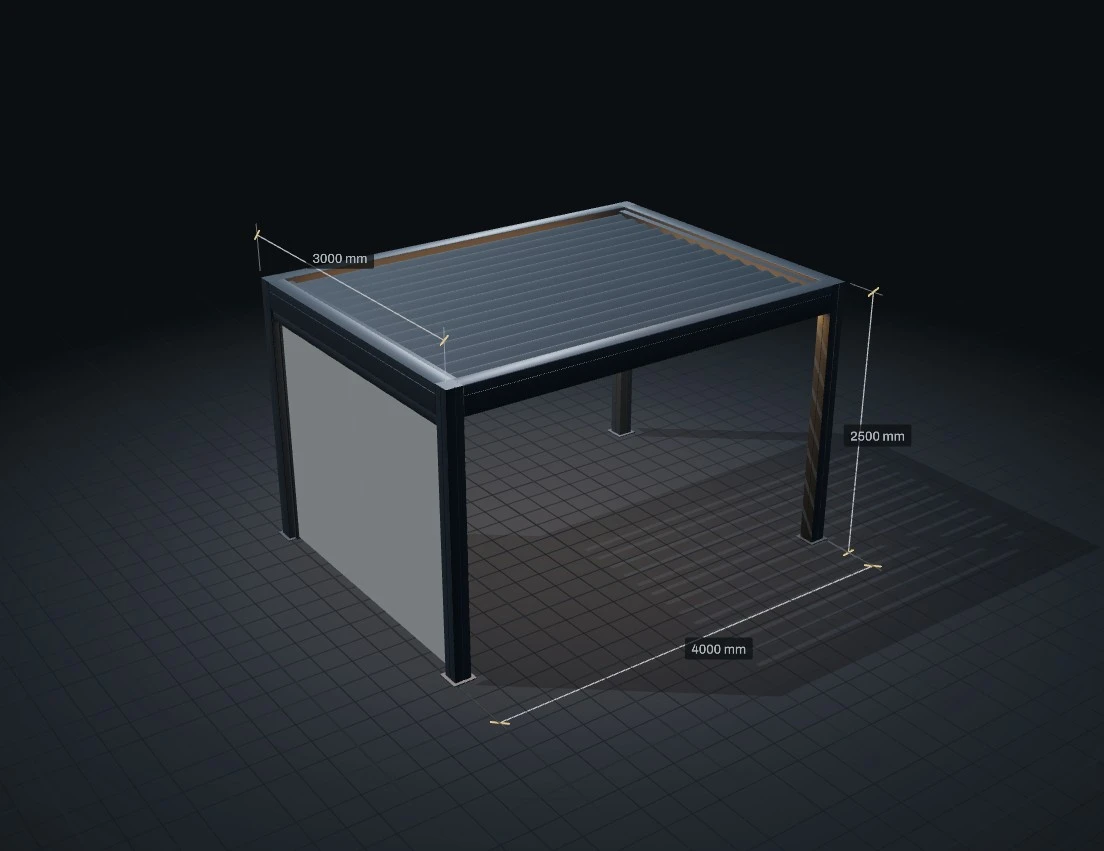
4 m deep · 2.5 m high · Anthracite

Try the pergola options
3000 mm

2500 mm – 6000 mm

Front ZIP screen+ €990One screen across the front
LED lighting+ €640Warm strips under the side beams
Frame and posts
€3,720
Louvred roof
€2,280
Front ZIP screen
€990
LED lighting
€640
Open in 3DPreview this request

Demo prices only, not a quote for a real pergola or the cost of building a configurator.

  • Frame and roof prices follow the footprint.
  • Screens and lighting have their own prices.
  • Your implementation uses your product data and commercial rules.

Give your team more than a message.

Your selection becomes a product specification, estimate and PDF. Compare it with an open-ended enquiry.

A configured enquiry

Matches the calculator above · Sample request

The starting pergola configuration selected in the calculator above.
Size
3000 × 4000 × 2500 mmwidth × depth × height
Frame colour
Anthracite, RAL 7016
Roof
Louvred, open 20°
ZIP screens
Front
LED lighting
On

Estimated total

Demo prices
€7,630

Product image · Specification · Price breakdown · Customer details

This example sends nothing. The PDF is a demonstration, not a commercial offer.

Read all request details
Example price breakdown
ItemDemo price
Frame and posts12.0 m²€3,720
Louvred roof12.0 m²€2,280
Frame colourAnthraciteIncluded
ZIP screen, front3.0 m€990
LED lightingSide beams€640
Estimated total€7,630

Customer details

Name, email, phone, installation location and notes. These are blank in this sample; add them in the full demo.

This PDF carries your selected dimensions, options and example prices. Add customer details and installation notes in the PDF preview.

An ordinary enquiry

Illustrative message

“Hi, I'm interested in a pergola for my terrace. Can you send me a price?”

Still to clarify

Dimensions
What width, depth and height?
Frame and roof
Which finish and roof system?
Screens and lighting
Which sides need screens? Is LED included?

The product details still need to be clarified.

Example request · nothing is sent

PDF preview

A sample of the product details your sales team could receive with a customer's quote request.

Preparing a snapshot of your selected options…

Configuration

Size
3000 × 4000 × 2500 mmwidth × depth × height
Frame colour
Anthracite, RAL 7016
Roof
Louvred, open 20°
ZIP screens
Front
LED lighting
On

Estimated price

Demo prices
Price breakdown, demo prices
Frame and posts 12.0 m²€3,720
Louvred roof 12.0 m²€2,280
Frame colour AnthraciteIncluded
ZIP screen, front 3.0 m€990
LED lighting Side beams€640
Estimated total€7,630

Example prices only, not a quote for a real pergola. Your configurator uses your price list and calculation rules.

Customer details

Try the fields a customer would fill in. Your entries are included in the sample PDF you download. Nothing is sent.

Optional
Town or postcode
Optional

Help customers choose. Help your team quote.

Give buyers a clearer view of the product and give your team a more useful starting point for the conversation.

Let buyers explore before they ask.

Let customers try sizes and options, with an estimate they can take into the conversation.

Try live pricing
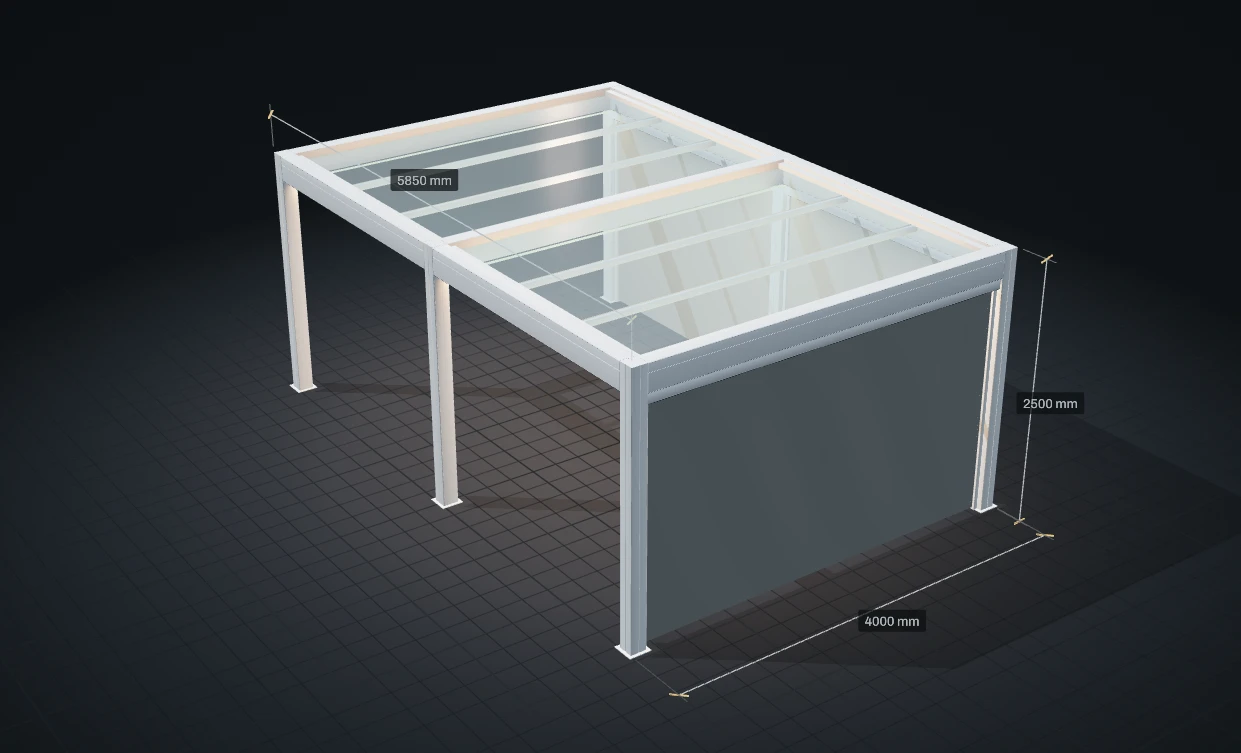
Two connected pergola bays from the working Model2Quote example.

Make complex choices easier to see.

Show how proportions, materials and moving parts change the product in an interactive 3D view.

Explore the 3D demos
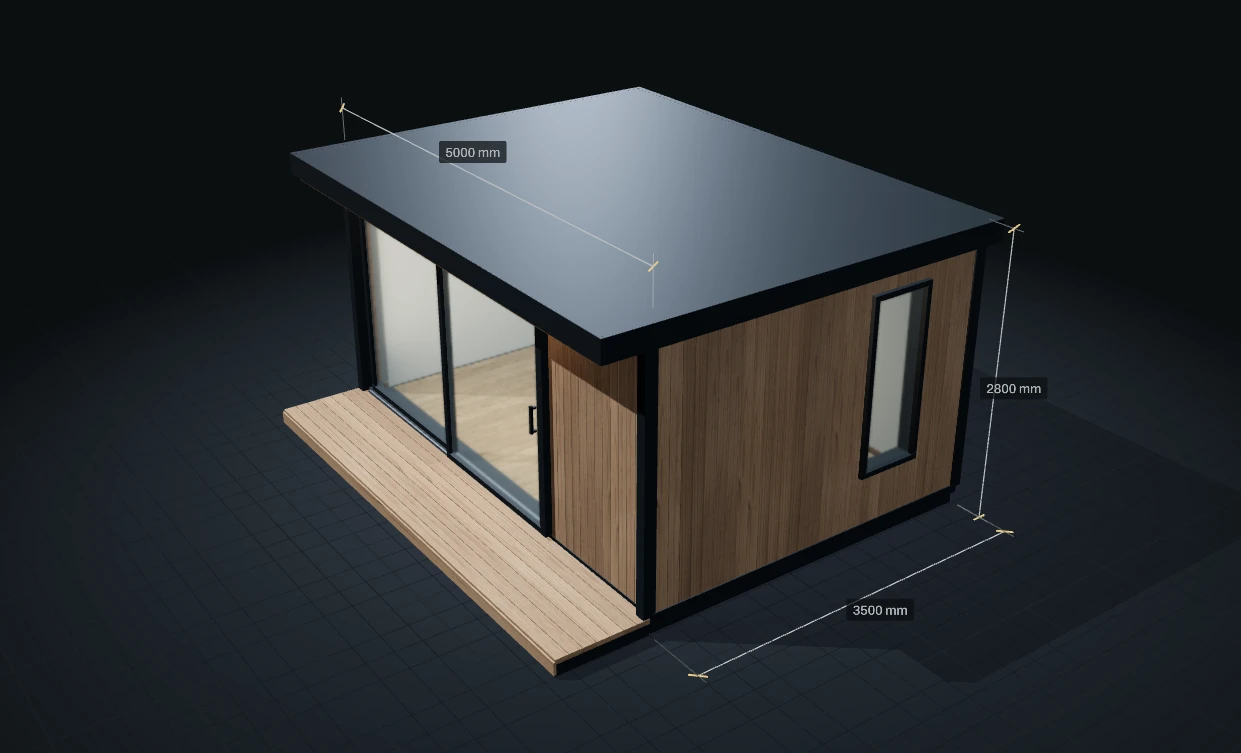
The cedar-clad garden studio from the working Model2Quote example.

Start with a useful specification.

Keep dimensions, product choices and customer notes together in a sample request.

See the sample request

Built for your products. With your team.

Your models, options, prices and brand, brought into your website.

  1. Agree the scope

    Start with your drawings, options and price data. Together we define the product range and choices for the first release.

  2. Build the configurator

    We turn those materials into a 3D model, supported combinations and an estimate based on your pricing rules.

  3. Review together

    On a private link, we compare the product, choices, estimates and request details with examples from your team.

  4. Add it to your website

    Your logo, colours and fonts carry into the agreed setup: within your existing website or on a page of its own.

Your website. Or a page of its own.

Keep the configurator beside your product information, or give it a dedicated, branded space. Choose a layout to see the difference.

Website placement

Customers stay on your product page, with information and configuration together.A focused space for configuration, reached from your website or a shared link.

yourbrand.example/products/verandayourbrand.example/configure
Your brand

Glass veranda

Explore dimensions, frame finishes and sliding glazing.

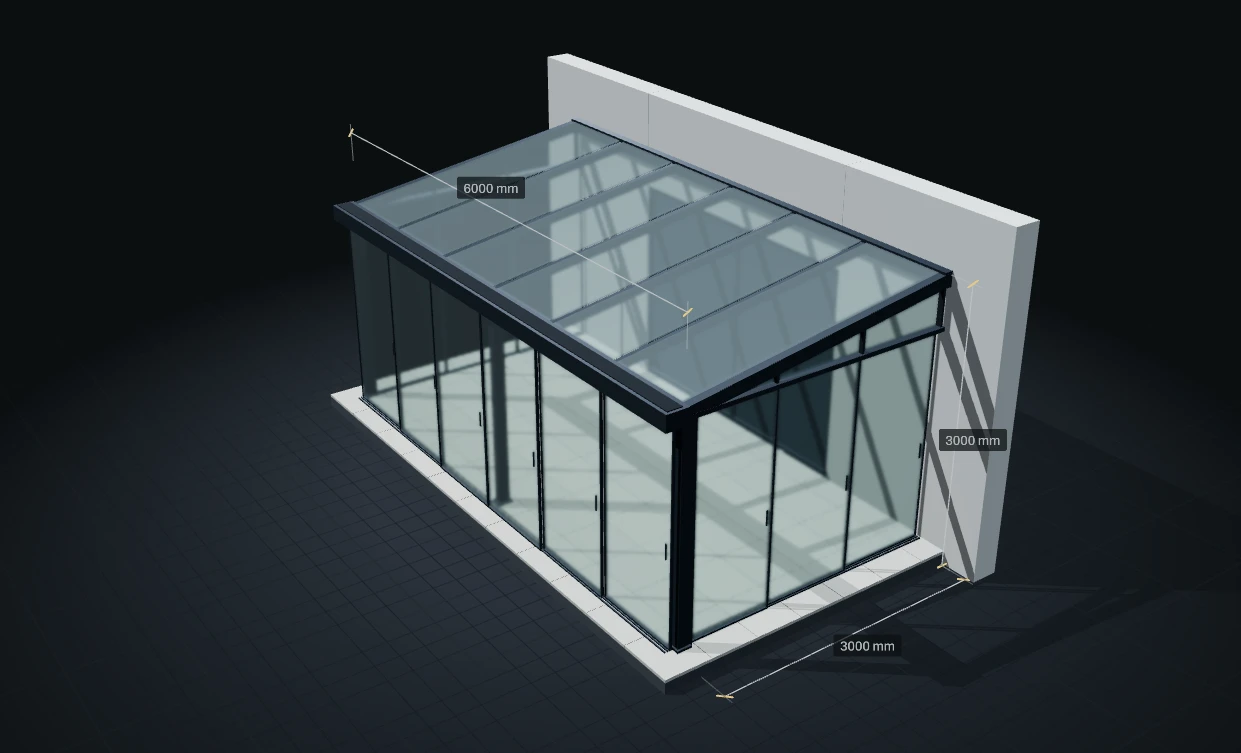
The actual six by three metre Model2Quote veranda with an anthracite frame, clear roof and sliding glazing, used in both example website layouts.

Example configuration

Width
6,000 mm
Depth
3,000 mm
Frame
Anthracite
Roof
Clear glass
Glazing
Sliding sides
Open 3D demo

Illustrative layouts using our veranda demo. Your branding and website setup are agreed for your project.

Product data and rules

Your product knowledge defines what customers can configure.

The starting materials
You provide drawings or CAD files, product references, supported dimensions, finishes, components and price data. We agree what is needed for the first product range.
From materials to a working model
We review the supplied assets and agree the 3D work. We build the model and connect its dimensions and components to the customer's choices.
Choices that follow your product
We define size limits, available options and supported combinations with you. Your price data determines how dimensions and extras contribute to the estimate.
Review and responsibilities

We review a working version together on a private link before launch.

Your team provides and verifies
Confirm the product geometry, supported combinations and price data against what you actually sell. Choose representative configurations and expected estimates for the review.
Model2Quote builds and checks
We implement the agreed model, controls, rules and request flow. We check the experience on desktop and phone, including the selected details carried into the request.
Together before release
Compare the model, choices, estimates and request output with your supplied examples. Agree any corrections, the website placement and the final checks before publishing.

Your brand and website

The pergola uses Model2Quote's identity. Your implementation uses your own brand.

Your brand
You provide your logo, colours, fonts and relevant website references. We apply them to the interface and agree the information and document layout your sales team needs.
Within your website
We review the existing site with you or your web team, agree where the configurator belongs and what access is needed, then check it in that setting.
On a page of its own
A dedicated, branded page can be linked from your product range. We agree the address and website setup as part of the project scope.
Updates after launch

Initial development, ongoing support and future changes have separately agreed scopes.

Example: a price changes
You send the revised price data and the affected products or options. We agree the change, update the calculation and review representative estimates with you before publishing.
Example: a model or option is added
We agree the new 3D work, choices, combinations and prices it affects. You review the resulting product and request details on a working version before release.
Ongoing support
We agree which ongoing services and support are included, how to request changes and how that work is quoted. These arrangements are separate from the first build.

The first build, ongoing support and future product or price changes have separately agreed scopes.

Who it is for

For manufacturers, importers and dealers whose customers choose sizes, finishes or components before requesting a quote.

  • Outdoor structuresPergolas, canopies, screens

  • Doors, windows and glazingEntrance doors, sliding systems, winter gardens

  • Furniture and interiorsSofas, wardrobes, fitted furniture

  • Kitchens and bathroomsFitted kitchens, vanity units, shower enclosures

  • Machinery and equipmentIndustrial machines, enclosures, equipment lines

Practical questions

Answers to what owners ask us first. Anything else, ask us directly.

What does a configurator cost?

We quote for an agreed product range, 3D modelling, option combinations, pricing rules and website setup. A focused first release can cover one product family and its key choices. Start with a product link and the options customers need; share drawings or CAD files if available. Ongoing support and future changes are scoped separately.

How long does it take?

The schedule covers preparing the 3D model, building the options and pricing, reviewing a working version with your team, and testing it on your website. Ready drawings, dimensions and price data help us scope that work; missing inputs or changes during review can extend it. We agree the delivery date once the first product range and review steps are clear.

What do you need from us?

Start with a product link and a brief description. For the build, we agree the drawings or CAD files, dimensions, finishes, price list and option rules needed for your range.

Do we need a new website?

No. We can embed the configurator in your existing site or give it a page of its own. We review your website and agree the setup with you.

Will it look like our brand?

Yes. Your configurator uses your logo, colours and fonts. The pergola demo shows the product choices and enquiry flow in Model2Quote's style.

Get in touch.

Tell us about the product you want customers to configure.
A product link and a few lines about the choices they need are a useful starting point.

What happens after you send it

  1. We review your product

    We look at your range, the choices customers make and how you handle enquiries today.

  2. We discuss the scope

    We agree the products, options, pricing and enquiry details for the first release.

  3. You receive a quote

    For the agreed build and timeline, with any ongoing services listed separately.

Optional
Optional
Optional
Optional

Which sizes, finishes or parts should customers choose? Tell us how you price the product and receive quote requests today.